Most posts on this site are plain Markdown. Every now and then one needs a callout, a set of tabs, or a snippet with a file name — and that is what .mdx is for. Rename the file, keep writing, and the components below are available without any imports.
Callouts
Tabs
Tabs are handy when the same step differs by tool:
bash frame="terminal" npm install && npm run dev bash frame="terminal" pnpm install && pnpm dev bash frame="terminal" bun install && bun run dev Snippets
Code blocks are rendered by Expressive Code. A title turns the block into a small editor frame; showLineNumbers and {2-3} marks do what they say:
scenes: { default: 'matte', options: [{ id: 'matte', wallpaper: '/images/scenes/matte.webp', /* … */ }],},Diffs use ins and del:
resources: limits: nvidia.com/gpu: 2 nvidia.com/gpu: 1And a frame="terminal" block gets a terminal titlebar instead of an editor tab:
$ kubectl get nodes -l nvidia.com/gpu.present=trueNAME STATUS ROLES AGE VERSIONgpu-a100-04 Ready <none> 41d v1.33.2Captions
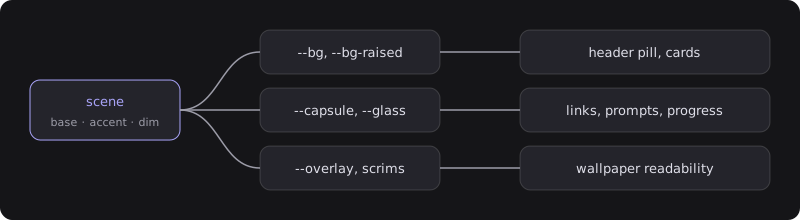
An image on its own line with alt text becomes a figure with a caption — no components needed:
Details
Plain HTML works too, when a section is optional:
Why not a component for this?
Because <details> already does the job, gets the theme’s styling for free, and needs no JavaScript.
When to stay in Markdown
If a post has no callouts, tabs, or components, keep it .md. Plain Markdown is faster to build, easier to preview in any editor, and portable to whatever you migrate to next.